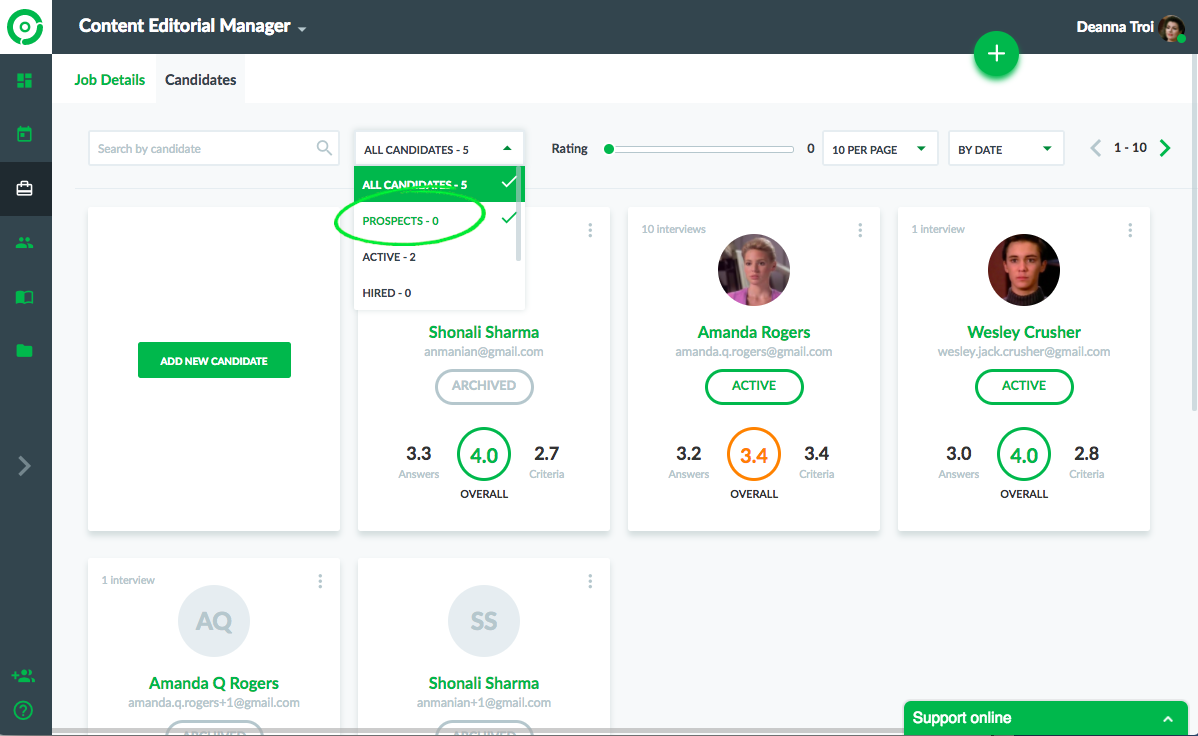
Go to the jobs page by clicking on the job link. Click on the Candidates tab on the top to view all the candidates. You can choose the PROSPECT filter to view the candidates who applied for the job from the published job link.

Modified on: Wed, 7 Mar, 2018 at 4:39 PM
Go to the jobs page by clicking on the job link. Click on the Candidates tab on the top to view all the candidates. You can choose the PROSPECT filter to view the candidates who applied for the job from the published job link.
Did you find it helpful? Yes No
Send feedback